

Hello,
I encountered an issue while using the new Pingzapper version, and many people I asked for help have faced the same problem.
Since most of them still don’t know how to resolve it, I felt the need to share this post.
Download from a link,
After download,
Step 1.

Step 2.
Step 3.
Step 4.
Short version for explaining the photos:
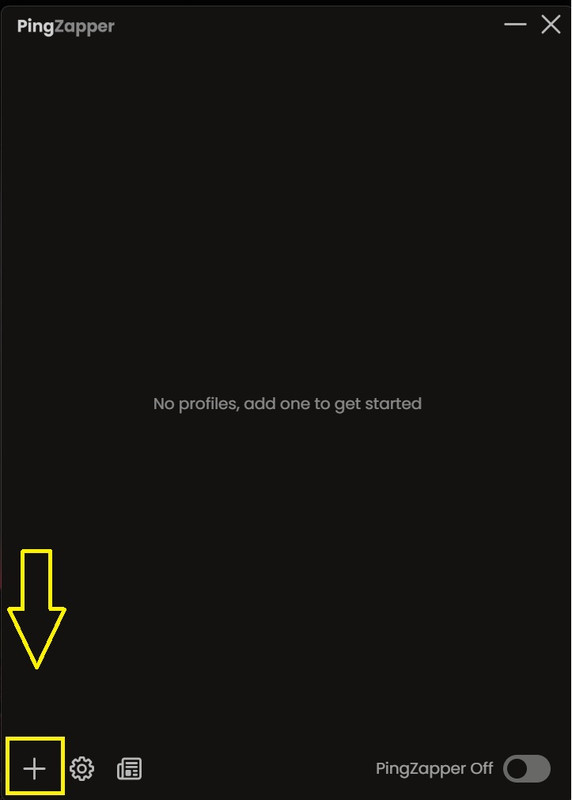
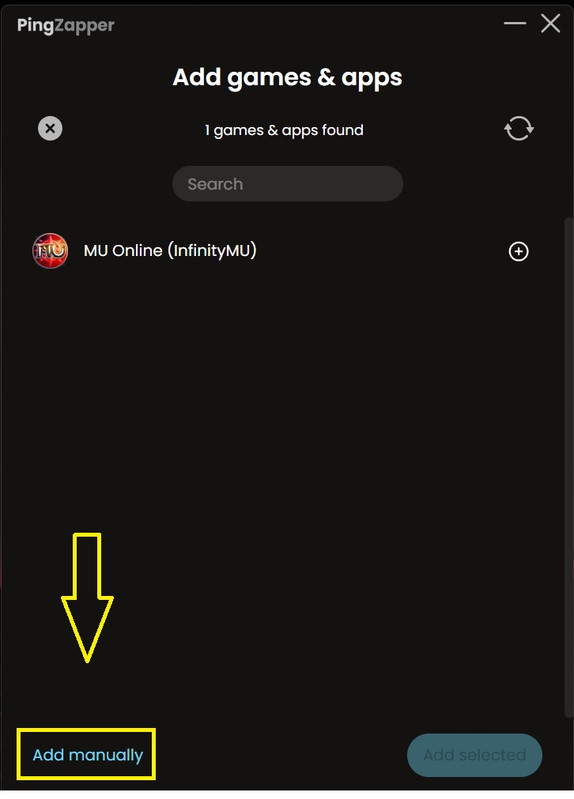
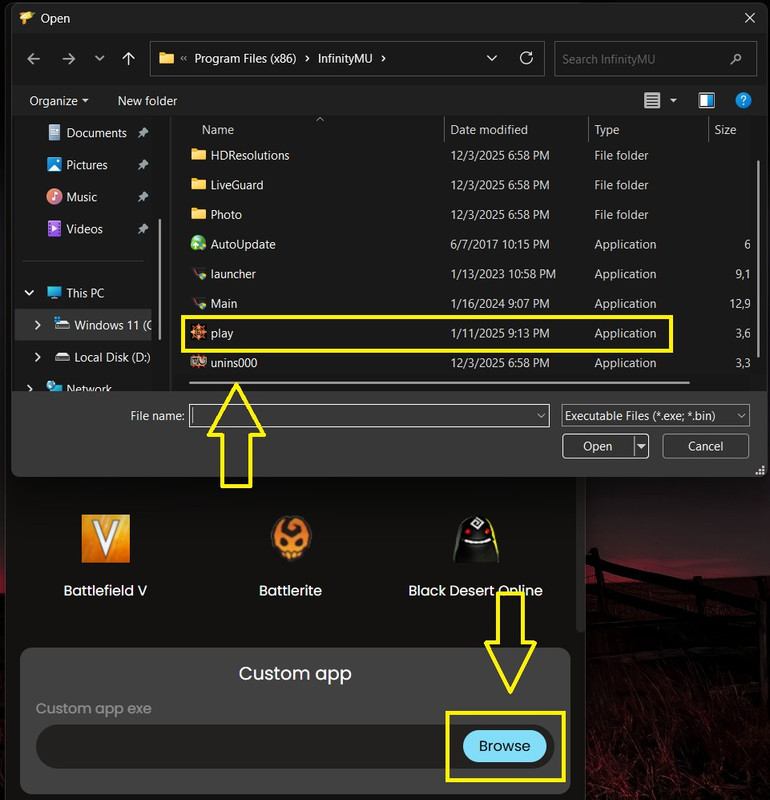
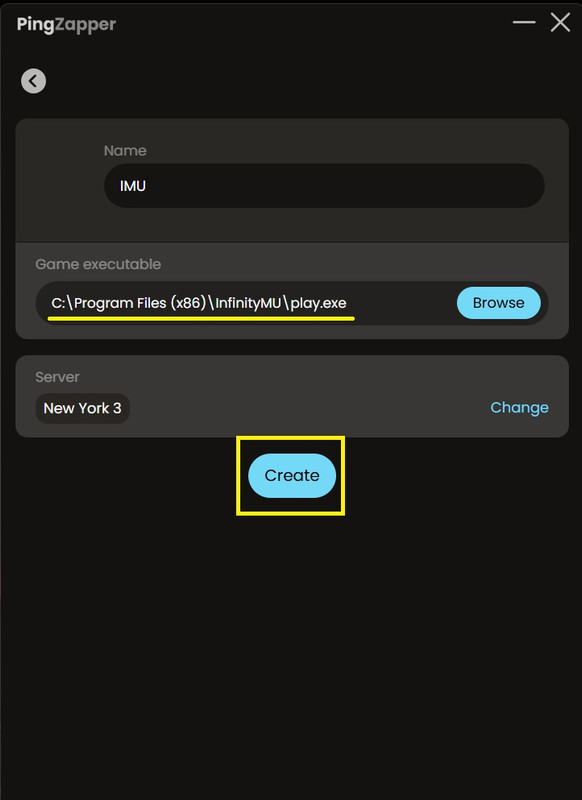
Click the “+” button > Add manually > Browse and select “play.exe” from your IMU folder > Create. Well done.
I have no interest in creating this thread. I am creating it at the request of @RESiSTANT .
Have a nice day!
I encountered an issue while using the new Pingzapper version, and many people I asked for help have faced the same problem.
Since most of them still don’t know how to resolve it, I felt the need to share this post.
Download from a link,
After download,
Step 1.
Step 2.
Step 3.
Step 4.
Short version for explaining the photos:
Click the “+” button > Add manually > Browse and select “play.exe” from your IMU folder > Create. Well done.
I have no interest in creating this thread. I am creating it at the request of @RESiSTANT .
Have a nice day!
Last edited:

 The game server is located in
  Beauharnois, Canada